The Markdown viewer
that just works

MDViewer is a lightning-fast native macOS markdown viewer and md reader. Edit in place, browse git history, navigate effortlessly — without ever leaving the app.

👁

QuickLook Preview in Finder

Press Space on any .md, .json, or .mermaid file in Finder to see it fully rendered — without launching an app. Column view, icon view, full-screen Quick Look. The extension installs automatically with MDViewer.

🔀

Mermaid Diagrams

Flowcharts, sequence diagrams, ER diagrams, Gantt charts — all render as interactive SVGs right inside your document. Click any diagram to open a full-screen lightbox with zoom and pan. Adapts to light and dark mode automatically.

Mermaid diagram rendering in markdown viewer for Mac
🍎

Native macOS App — No Electron

Built with SwiftUI from the ground up. MDViewer launches instantly, uses a fraction of the memory, and feels like a macOS app should — native fonts, system integration, smooth animations. Full GitHub Flavored Markdown: tables, task lists, code blocks, strikethrough.

Native macOS markdown viewer built with SwiftUI — no Electron
📄

Export Markdown to PDF

Press ⌘⇧E to save any document as a clean PDF. Smart pagination keeps tables, code blocks, images, and diagrams intact across page breaks. Headings stay with their content — no orphans. Portrait or Landscape orientation right in the save dialog.

Export markdown to PDF on Mac with smart pagination
🌳

JSON File Viewer

Open .json files directly — MDViewer renders them as an interactive tree with collapsible nodes, just like browser DevTools. One-click {} Format button pretty-prints the file while preserving key order.

Interactive JSON file viewer with collapsible tree on macOS
🎨

Syntax Highlighting

Fenced code blocks render with color highlighting for 180+ languages — Python, JavaScript, Swift, TypeScript, SQL, and more. GitHub-style theme that adapts to light and dark mode.

Syntax highlighting for code blocks in markdown viewer
✏️

Edit Without Leaving

Double-click any word to open the editor — cursor lands exactly where you clicked. Write, fix, restructure, then press ⌘S to save or Esc to return to reading. No app switching, no hunting for your place.

Inline markdown editor — edit md files without switching apps
🕓

Git History & Diff

Browse the full commit history of any file right inside the sidebar. Click a commit to see a color-coded unified diff with line numbers. One click back to Current — no terminal needed.

Git history and diff view for markdown files on Mac

Math Formulas (KaTeX)

Inline math with $...$ and display math with $$...$$ render beautifully with KaTeX. Matrices, fractions, integrals, Greek letters — everything you need for technical documentation and academic notes.

KaTeX math formula rendering in markdown — LaTeX support
🌙

Dark Mode

Follows your macOS system preference automatically. Every element adapts — code blocks, Mermaid diagrams, tables, the sidebar, and even the status bar. Easy on the eyes at any hour.

Dark mode markdown viewer for macOS
🔍

Search (⌘F)

Find text across headings, code blocks, tables, and body text. All matches highlight in yellow, current match in orange. Works in both preview and editor modes. Counter shows "2 / 7" and updates live as you type.

Search and find text in markdown files with Cmd+F
🗂

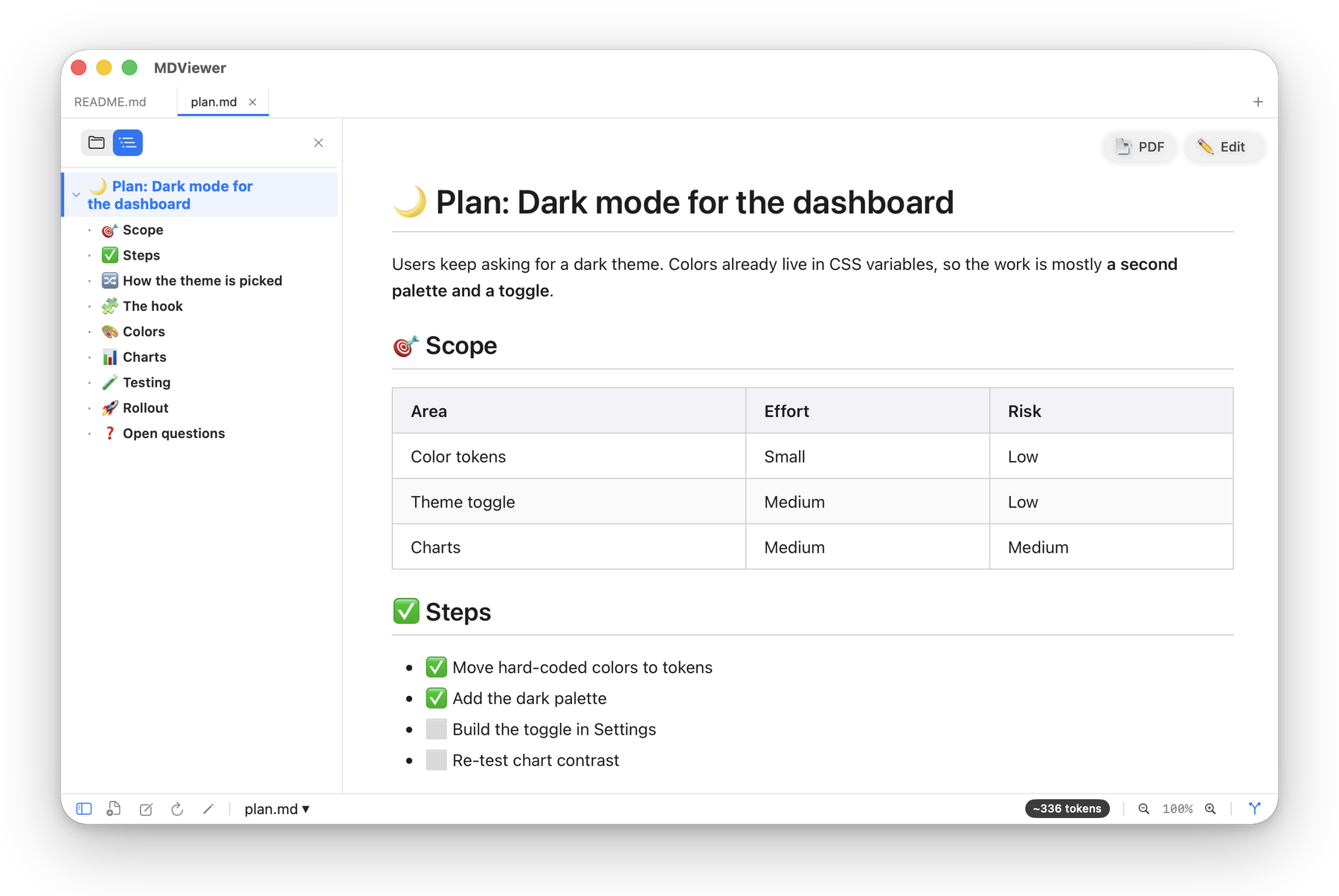
Table of Contents & File Tree

A smart table of contents tracks your position as you scroll, highlighting the active section in real time. Click any heading to jump there instantly. Switch to the file tree to browse your project — rooted at the git repository, with the current file highlighted.

Table of contents and file tree sidebar
📂

Your Default Markdown App

Set MDViewer as the default app for .md files in one click. Double-click in Finder or run open README.md in the terminal — it opens right here. Open multiple files as tabs, drag and drop folders. Always ready.

Set MDViewer as default markdown app on Mac

Ready to Make Markdown Reading Better?

Free for early adopters. No ads, no tracking.

Requires macOS 13.0 or later. Intel and Apple Silicon supported.

Try the free online Markdown viewer — no install needed.