What Is Mermaid?
Diagram-as-code — turn plain text into flowcharts, sequence diagrams, and more
Mermaid in One Sentence
Mermaid is an open-source tool that renders diagrams from plain text descriptions inside Markdown files. Instead of drawing a flowchart in a visual editor and exporting an image, you describe the diagram in text and it renders automatically wherever the Markdown is displayed.
How It Works
You write a fenced code block in your Markdown file with mermaid as the language identifier. Inside the block, you use Mermaid’s text syntax to describe nodes, connections, and relationships. Any compatible viewer — GitHub, GitLab, MDViewer, or a Mermaid extension — parses the text and renders a diagram.
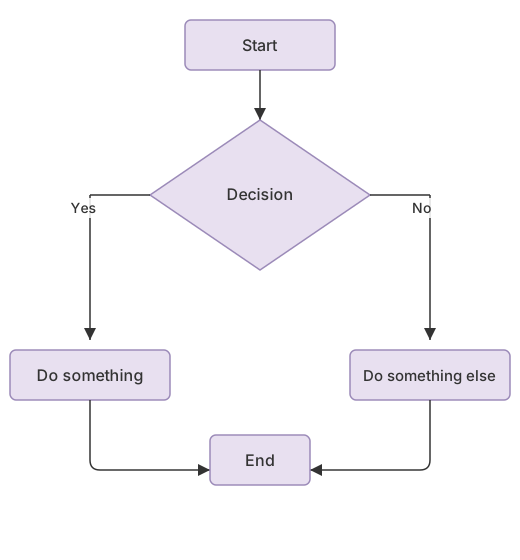
Here’s a minimal example:
This renders as a top-down flowchart with a decision diamond and two paths that converge at the end:
What Types of Diagrams Can Mermaid Create?
Mermaid supports a wide range of diagram types. The most commonly used are:
- Flowcharts — process flows, decision trees, algorithms (flowchart guide)
- Sequence diagrams — API calls, message passing, system interactions (sequence diagram guide)
- Class diagrams — object-oriented class hierarchies and relationships
- ER diagrams — database entity-relationship models
- State diagrams — state machines and transitions
- Gantt charts — project timelines and task dependencies
- Pie charts — simple proportional data
- Git graphs — branch and merge visualizations
- Mindmaps — hierarchical idea trees
- Timeline diagrams — chronological event sequences
Why Developers Use Mermaid
Traditional diagramming tools like Draw.io, Lucidchart, or Visio produce image files that sit outside your codebase. They can’t be diffed in a pull request, they go stale when the code changes, and they require a separate tool to edit.
Mermaid diagrams are text. They live inside your Markdown files, get versioned with Git, show up in diffs, and render automatically on GitHub and GitLab. When you change the code, you update the diagram in the same commit.
This is the core idea of diagram-as-code: diagrams are source code, not artifacts.
Where Mermaid Is Supported
Mermaid has become a standard in developer tooling. It renders natively in:
- GitHub — README files, issues, pull requests, wiki pages
- GitLab — Markdown files and wiki
- Azure DevOps — wiki pages
- Notion — code blocks with Mermaid type
- Obsidian — notes with Mermaid code blocks
- Docusaurus, MkDocs, VitePress — documentation sites
On macOS, MDViewer renders Mermaid diagrams as interactive SVGs with zoom and full-screen lightbox. It also supports standalone .mmd and .mermaid files. For step-by-step setup, see how to open Mermaid files on Mac and how to render Mermaid on Mac.
For a full comparison of Mermaid-compatible apps, see our best Mermaid viewers for Mac guide. If you also work with Markdown tables and code, check out our Markdown preview on Mac guide.
Mermaid vs Traditional Diagramming Tools
The tradeoff is clear: Mermaid diagrams are easier to maintain but harder to lay out precisely. Visual tools give you pixel-perfect control but produce files that live outside your code.
- Version control: Mermaid diagrams are text — they diff, merge, and review in pull requests. Draw.io files are XML that’s hard to review.
- Maintenance: Update a Mermaid diagram in the same commit as the code change. No separate export step.
- Layout control: Visual tools let you drag nodes to exact positions. Mermaid auto-layouts — good enough for most technical diagrams, but not for polished presentations.
- Complexity: Very large or complex diagrams are harder to write in text. For architectural overview diagrams with 50+ nodes, a visual tool may be more practical.
For a detailed comparison, see Mermaid vs Draw.io.
AI and Mermaid
AI coding tools like ChatGPT, Claude, and GitHub Copilot can generate Mermaid diagrams from natural language prompts. This has made Mermaid even more popular — you can describe a system architecture in words and get a renderable diagram in seconds.
MDViewer is commonly used to render AI-generated Markdown that includes Mermaid diagrams. The diagrams render as interactive SVGs that you can zoom, pan, and view in full-screen.
Getting Started
The fastest way to try Mermaid on a Mac:
- Create a
.mdfile with a Mermaid code block (copy the example above) - Open it in a Mermaid-compatible viewer
- See the diagram render instantly
For syntax details, see our guides on Mermaid flowcharts and sequence diagrams.
FAQ
What is Mermaid in Markdown?
Mermaid is a diagram-as-code tool that lets you create flowcharts, sequence diagrams, ER diagrams, Gantt charts, and more using plain text syntax inside Markdown fenced code blocks. Instead of drawing diagrams in a visual editor, you describe them in text and they render automatically. Learn how to open Mermaid files on Mac.
Where is Mermaid supported?
Mermaid renders natively in GitHub, GitLab, Azure DevOps, Notion, Obsidian, and documentation tools like Docusaurus and MkDocs. On macOS, MDViewer renders Mermaid as interactive SVGs with zoom. VS Code supports Mermaid through extensions. See our best Mermaid viewers for Mac comparison.
What types of diagrams can Mermaid create?
Mermaid supports flowcharts, sequence diagrams, class diagrams, ER diagrams, state diagrams, Gantt charts, pie charts, git graphs, mindmaps, timeline diagrams, and more. New diagram types are added regularly.
How do I create a Mermaid diagram?
Write a fenced code block in your Markdown file with mermaid as the language. Inside the block, declare the diagram type (e.g., graph TD for a top-down flowchart) and define nodes and connections. The diagram renders automatically in any Mermaid-compatible viewer. See our how to render Mermaid on Mac guide for step-by-step instructions.
How do I view Mermaid diagrams on Mac?
Install MDViewer — it renders Mermaid diagrams as interactive SVGs with zoom, pan, and full-screen lightbox. It works with .md files containing ```mermaid code blocks and standalone .mmd/.mermaid files. You can also preview Mermaid in Finder using MDViewer’s built-in Quick Look extension — just press Space on any .md or .mermaid file.
Can AI tools generate Mermaid diagrams?
Yes. ChatGPT, Claude, GitHub Copilot, and other AI coding tools can generate Mermaid diagrams from natural language descriptions. Describe a system architecture or workflow in words, and the AI outputs valid Mermaid syntax. Save the output as a .md file and open it in a Mermaid-compatible viewer to see the rendered diagram.
View Mermaid Diagrams with MDViewer
MDViewer renders Mermaid diagrams as interactive SVGs with zoom, pan, and full-screen lightbox. It supports all Mermaid diagram types and renders standalone .mmd files. Lite is free; Pro is $9.99 one-time.
Requires macOS 13.0 or later. Intel and Apple Silicon.